Auto-approval: when to turn it on
Written By Nick
Last updated 20 days ago
Auto-approval skips the review step. With it on, posts that Social Valet generates go straight from creation to the Approved bench, where they get auto-scheduled and published without you needing to click Approve. It's set per platform, with separate toggles for Instagram, Pinterest, and your blog.
Where to find it
Go to Settings → Platform Management.
Choose the platform: Instagram, Pinterest, or WordPress.
In the Content section, turn on Allow auto approval for that platform.

The toggle only appears for platforms you've connected.
What it changes
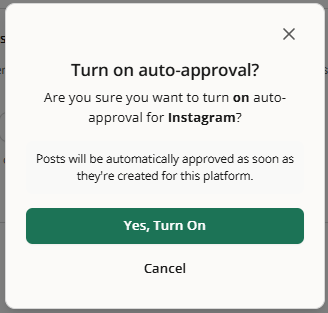
Generated posts skip Needs Approval. New posts land directly on the Approved bench, ready to be auto-scheduled.
Existing Needs Approval posts get auto-approved too. Turning the toggle on clears your current review queue for that platform.
Auto-scheduling still applies. The nightly run picks posts off the bench and schedules them at AI-suggested times, the same way it does when you approve manually. You can also click Schedule Next 7 Days to schedule them right away.
Failures still surface. If a post fails to publish, it moves to Failed status and you're notified. Auto-approval doesn't hide problems, it just removes the approval step.
Why it's worth being careful
Auto-approval is the feature that most directly trades your oversight for speed. Done well, it gives you a hands-off content engine. Done early (before your brand voice is trained, before you've reviewed enough posts to trust the output), it puts content live that you'd have caught and edited if you'd seen it. The first weeks of using Social Valet are when review matters most, because that's when you're still calibrating what "good" looks like for your business.
Most people leave auto-approval off when they're getting started, and turn it on later once the posts coming through consistently feel like something they'd approve anyway.
When to turn it on
Some signals you're ready:
Your brand voice is trained and the posts read like you wrote them.
You've reviewed several weeks of generated content and have rarely needed major edits.
You'd rather spend your time on photography or client work than on weekly post review.
You're going to be out for a stretch and don't want a content gap.
Auto-approval works independently per platform, so a common pattern is to turn it on for one (often blogs, where output is steadier) while keeping the others manual.
When to leave it off
You just signed up and your brand voice is still learning.
You're noticing posts that need real edits before going out.
You want to control which photos and which captions go to your feed, every time.
If something goes wrong
You can't find the toggle. Make sure you're on the platform's own page under Platform Management, and that the platform is connected.
Auto-approval turned itself off. Disconnecting and reconnecting a platform resets auto-approval to off. Turn it back on after reconnecting.
Posts are approved but not scheduled yet. They're on the Approved bench waiting for the next scheduling run. Click Schedule Next 7 Days to place them now.
Next steps
Was this helpful?
Still need help? Ask the team