Inviting team members and managing roles
Written By Nick
Last updated About 1 month ago
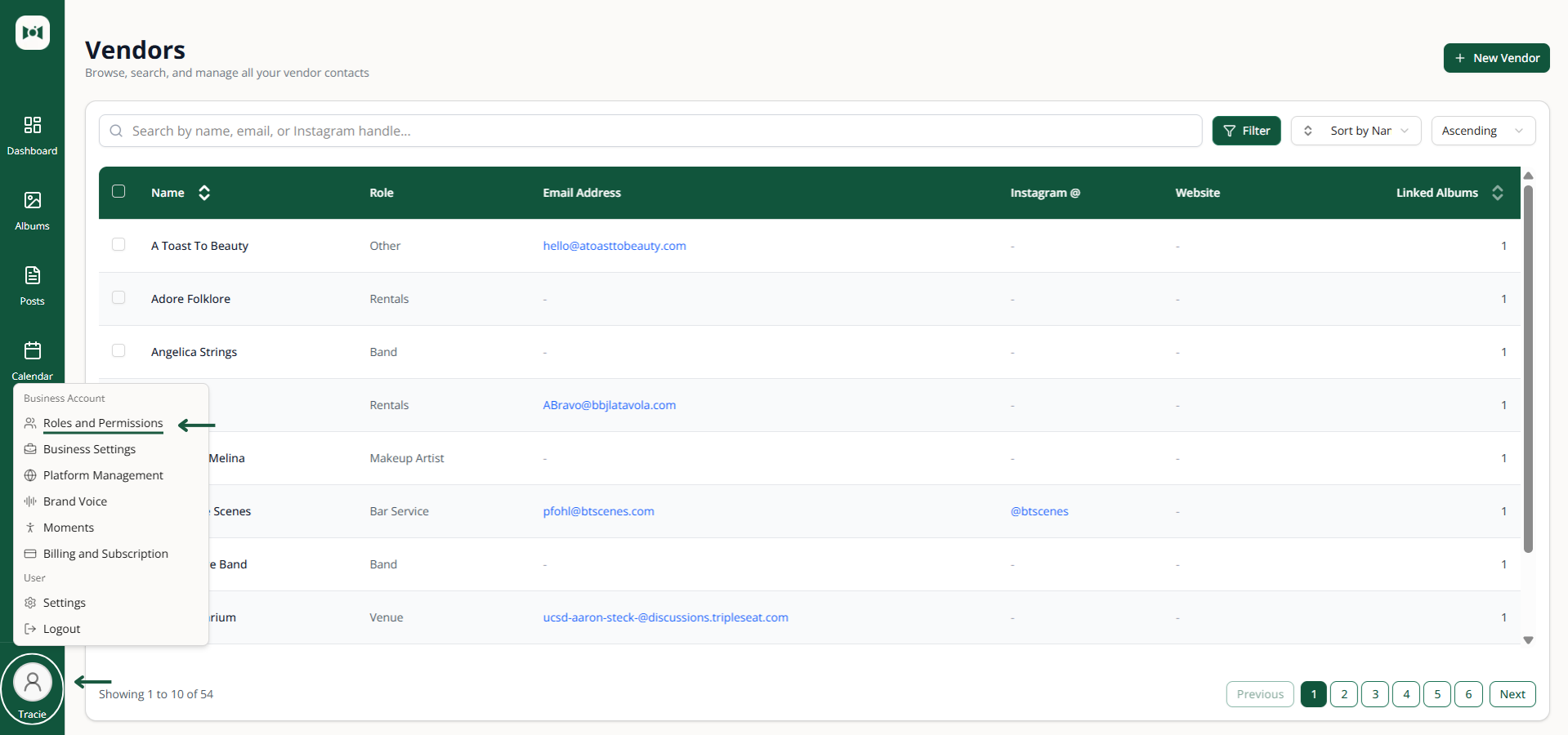
Social Valet supports multiple users on a single account so you can share content review, approvals, and publishing with the people who help run your business. Each account can include up to 10 total users across all roles, which gives you enough room for a fuller in house team or a mix of staff and assistants. Team management lives at Settings → Roles and Permissions.
Roles
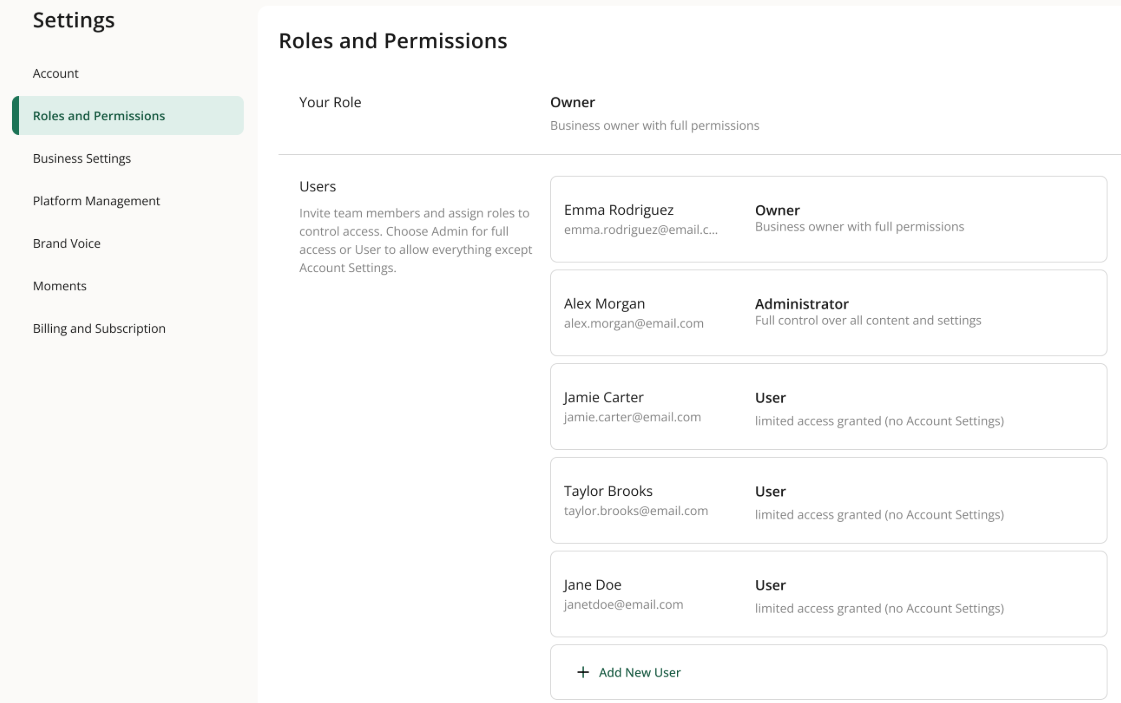
Social Valet has three roles:
Owner — full permissions, including billing, account deletion, and ownership transfer. Each account has exactly one Owner.
Admin — can manage integrations, brand voice, team members, and all content.
User — can create, edit, and approve content but can't manage account level settings.
How to invite a team member
Go to Settings → Roles and Permissions.
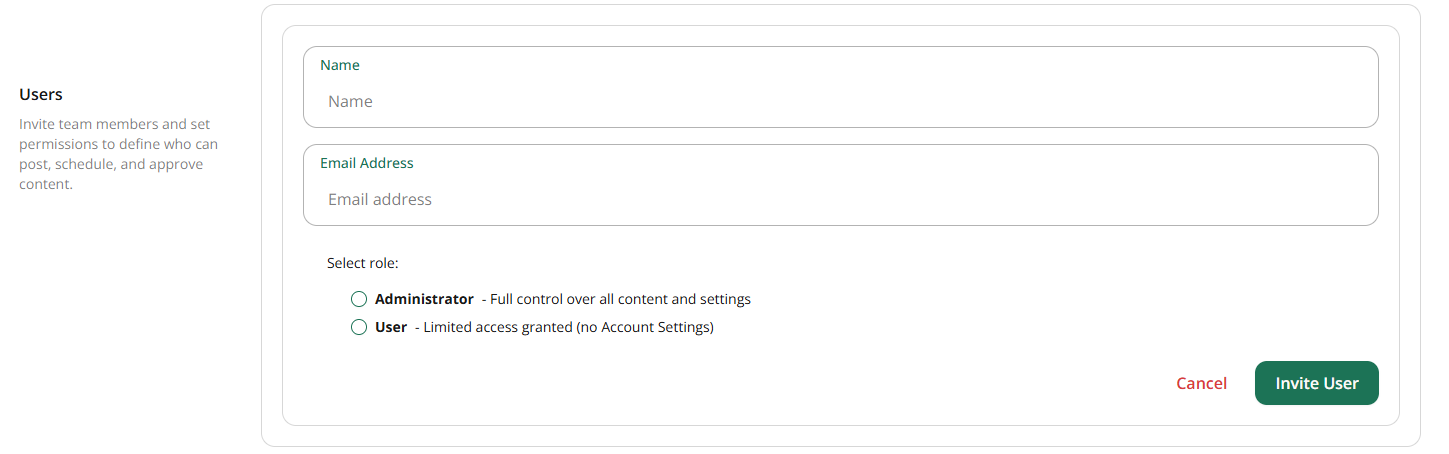
Click Add New User.
Enter the invitee's email address and choose their role.
Send the invite.
The invitee receives an email with a link to accept. They'll create their password and log in to your account.
If you've already used all 10 seats, the Add New User option will be disabled. Remove a member you no longer need before sending a new invite.
Managing pending invites
Pending invites appear in the Users list with a pending status. From there you can resend or cancel an invite that hasn't been accepted yet. Invites expire after a set window, if one expires before the invitee accepts, just send a new one.
Editing or removing a member
Open a team member from the Users list to change their role or remove them from the account. Removing a member revokes their access immediately; any albums or posts they created stay with the account.
Transferring ownership
Only the Owner can transfer ownership, and the transfer happens from Settings → Account. After the transfer, the previous Owner becomes an Admin and can be removed like any other member if needed.
If something goes wrong
Invitee never got the email. Have them check spam, then resend the invite from the Users list.
Invite link says expired. Cancel the old invite and send a fresh one.
Can't remove yourself from the account. If you're the Owner, you'll need to transfer ownership first.
Add New User is disabled. You've hit the 10 user cap. Remove a member you no longer need to open a seat.