Instagram analytics
How to read the Instagram tab in Analytics and what each metric measures.
Written By Nick
Last updated About 2 months ago
The Instagram tab

The Instagram tab shows how your Instagram account is doing specifically. It's where you go when you want to understand Instagram performance without the roll-up from other platforms getting in the way.
What's on the Instagram tab
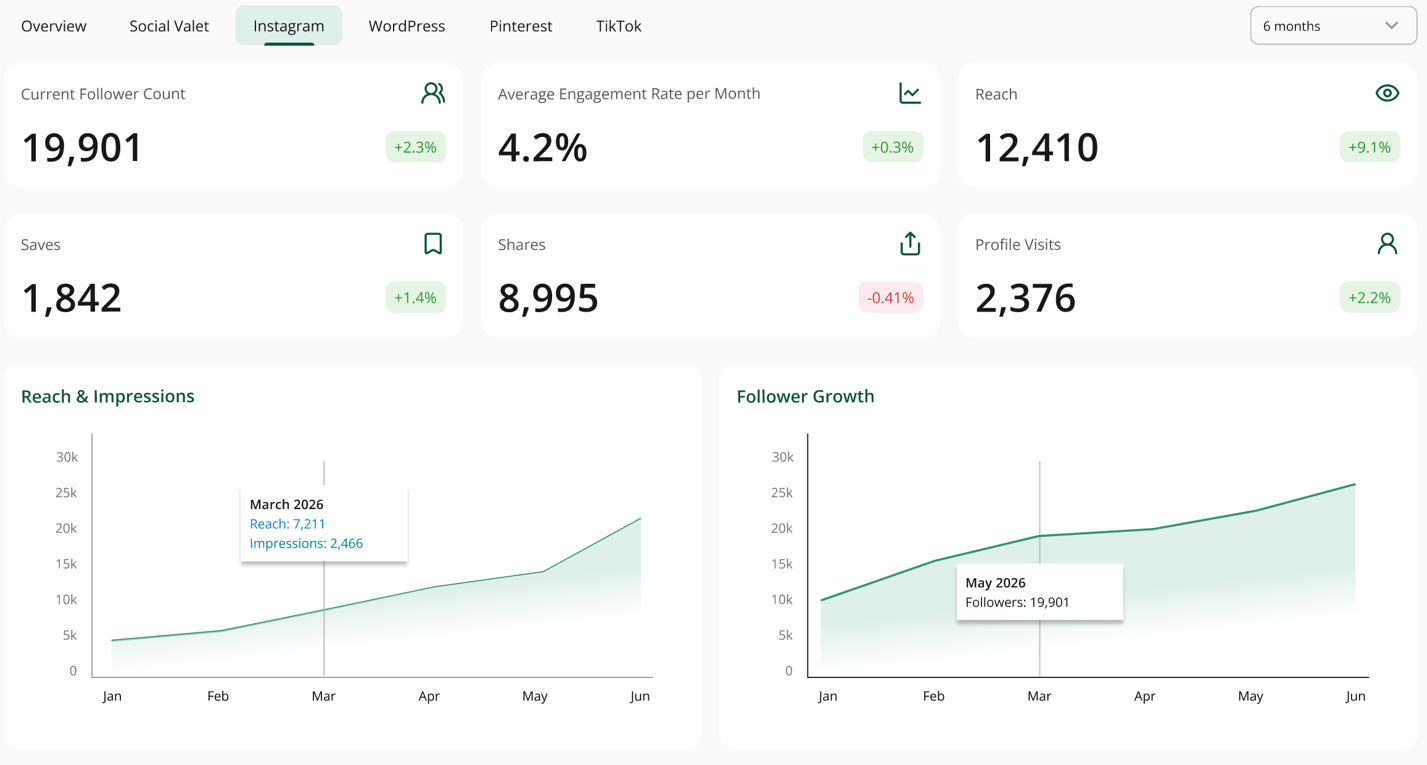
Follower activity. Follower count over time and net change in the selected window.
Per-post performance. Reach, likes, comments, saves, and shares for posts published in the window, sorted by whichever metric you pick.
Publishing cadence. How often you're publishing to Instagram vs your target cadence.
Top posts. Your highest-engaging Instagram posts from the time window.
Each of these responds to the time-range selector at the top of the page.
How Instagram data is pulled
Instagram metrics come directly from the Instagram Graph API, refreshed daily. The first pull happens shortly after you connect Instagram, so a brand-new connection may show sparse data for a day.
Reading follower activity
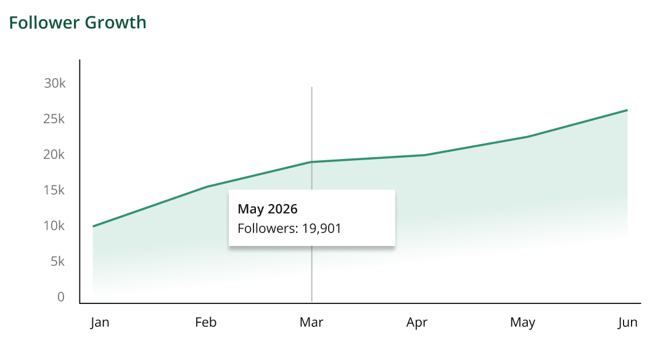
Follower activity shows both the absolute count and the change over the window. A steady positive trend across weeks usually means your content mix is working. Sudden spikes or dips usually correspond to a specific post that landed well or a follow campaign.
Reading per-post performance
Per-post performance is where you spot patterns. A few things to look for:
Which post types perform best. Single images vs carousels vs reels. If carousels consistently outperform single images, favor carousels.
Which subjects perform best. Group posts by album or subject tag. Highlight posts often outperform detail shots.
How saves compare to likes. Saves are a stronger engagement signal than likes on Instagram. High-save posts are content people want to come back to.
If the tab is empty or incomplete
Instagram isn't connected. The tab explains this and links to the connection article.
Your connection expired. Reconnect from Settings, Platform Management. Data resumes on the next daily pull.
You have no posts in the time window. Widen the range.